
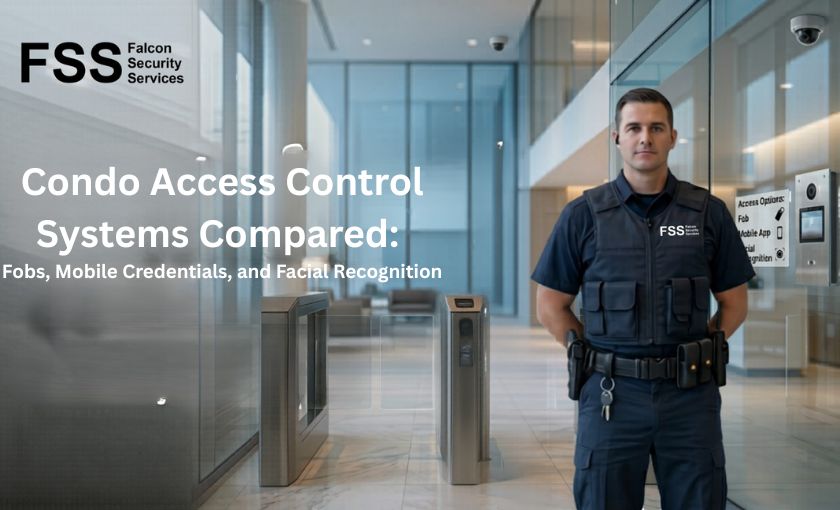
Access control is the foundation of every condo’s security posture. The lobby officer, the patrol routine, the visitor screening — all of it operates on top of a system that determines who is allowed past the front door. When that system is solid, the security service has something to work with. When it’s weak, professional security spends its time compensating for technology gaps.
Boards considering an access control upgrade — or evaluating which system to deploy in a new building — face a market that’s evolved quickly. Traditional key fobs share the field with mobile credentials, biometric readers, and integrated platforms. This guide compares the major options honestly, names the tradeoffs, and explains which systems fit which buildings.
The Four Access Control Technologies in Use Today
Most Canadian condos use one of four technologies — sometimes layered together. Each has matured at a different rate, and each carries a distinct tradeoff profile.
1. Key Fobs (Proximity Cards)
The default for the past two decades. A small RFID device held near a reader unlocks the door. Reliable and supported by every Canadian installer. The technology is mature — which means it’s also the easiest to clone. Orphaned fobs (issued to former residents, contractors, or unknown holders) are the most common access control vulnerability in older buildings.
2. Mobile Credentials
A smartphone replaces the fob. The credential is provisioned digitally and presented via Bluetooth or NFC. Convenient for residents, centrally manageable, and harder to clone than a fob. Downsides: dependency on the resident’s phone working, occasional pairing issues, and accessibility concerns for residents who don’t carry smartphones.
3. Facial Recognition (Biometric)
Cameras at entry points identify residents by facial features. No fob or phone required. Tailgating becomes harder to disguise because every entrant is captured and identified. Privacy implications are real — biometric data falls under provincial privacy legislation and PIPEDA, requiring explicit consent, secure storage, and retention controls. Implementation is more complex and expensive than fob or mobile systems.
4. Integrated Multi-Factor Systems
Modern platforms combine two or more methods — fob plus PIN for higher-security zones, mobile plus video verification for visitor admission, biometric for premium amenities. Used in larger or higher-end buildings where different security levels apply to different areas.
Side-by-Side Comparison
| Dimension | Key Fob | Mobile | Facial Recognition | Multi-Factor |
| Cost level | Lowest | Moderate | Highest | Highest |
| Resident convenience | Moderate | Highest | High | Varies |
| Cloning / fraud resistance | Weakest | Strong | Strongest | Strongest |
| Privacy implications | Minimal | Modest | Significant | Varies |
| Implementation complexity | Simplest | Moderate | Complex | Complex |
| Accessibility for all residents | Universal | Limited | Universal | Varies |
| Visitor management fit | Weak | Strong | Strong | Strongest |
No single technology wins every dimension. Mobile credentials excel on convenience and remote management; facial recognition leads on fraud resistance; fobs are unmatched on universal accessibility and cost; multi-factor systems are stronger but more complex to operate. The right answer depends on building priorities.
The Privacy Question Boards Often Skip
Facial recognition and other biometric systems aren’t just expensive — they create ongoing privacy and compliance obligations the corporation has to manage. Canadian privacy law treats biometric data as sensitive personal information, requiring explicit consent from every resident, defined retention periods, secure storage, and clear policies on use and access.
Practical implications boards often discover after deployment:
- Resident consent must be genuine, not buried in a building rules notice. Residents who decline biometric enrolment must have an alternative access method.
- Data must be stored securely with documented access controls — encrypted at rest and in transit.
- Retention periods should be defined and enforced. Indefinite retention creates ongoing liability.
- Use beyond access control (marketing, behavioural analysis, sharing with police) requires separate consent or legal basis.
- A breach involving biometric data triggers reporting obligations under PIPEDA and provincial privacy legislation.
None of these issues are reasons to avoid biometric systems entirely — but they are reasons to involve the corporation’s legal counsel and privacy consultant in the procurement decision, not just the security committee.
How Access Control Connects to Physical Security
Access control technology and on-site security are not substitutes for each other — they’re complementary layers. The strongest buildings layer the two:
- Reliable access control + licensed guard: the most common and most effective configuration. The technology handles routine entries; the guard handles exceptions, incidents, and resident interaction.
- Reliable access control + mobile patrol: appropriate for smaller buildings where 24/7 presence isn’t justified. Technology carries the day-to-day load; mobile patrol provides verification and incident response.
- Reliable access control + supplementary tech (CCTV, robotic patrol, drone coverage): increasingly common in newer luxury and tech-forward developments. Robotic and aerial drone solutions can supplement access control with autonomous patrol of garages and large-footprint properties.
Falcon’s robotic security and aerial drone solutions integrate with existing access control platforms — adding patrol and verification capability without replacing the foundational fob or mobile system.
How to Decide What’s Right for Your Building
Three questions that usually settle the decision:
- How old is the current system, and is replacement parts availability still reliable? Many condo buildings are running access control hardware from the late 2010s — supported, but no longer manufactured. Reaching end-of-life forces a decision soon either way.
- What’s the resident demographic? Buildings with older residents or significant accessibility needs are not ideal candidates for mobile-only solutions. Multi-generational buildings often need hybrid approaches that don’t force a single access method on every resident.
- Is the corporation prepared to manage biometric data responsibly? If yes — including legal counsel, privacy policies, and ongoing compliance capability — facial recognition is a legitimate option. If not, mobile credentials achieve much of the same security benefit with significantly lower compliance burden.
The Bottom Line
There’s no universal best system. Key fobs remain the default and serve most buildings well, particularly when paired with strong supervision and visitor management. Mobile credentials are the cleanest upgrade path for buildings whose demographic supports it. Facial recognition delivers strongest fraud resistance but at meaningful cost and compliance complexity. Multi-factor approaches make sense where different zones require different security levels.
Whatever access control system fits your building, the security service operating on top of it is what determines real-world outcomes. The Vendor Evaluation Checklist includes specific questions to ask any vendor about access control integration and operational support. [Download free]
Frequently Asked Questions
Q1. Can a condo upgrade access control without replacing the entire system?
Ans. Often yes. Modern access control panels frequently support multiple credential types simultaneously — fobs, mobile, and biometric readers can coexist on the same backbone. The phased upgrade path is common: start by adding mobile credentials alongside existing fobs, then phase in additional methods as residents adopt them.
Q2. How long does a condo access control system typically last?
Ans. Hardware lifecycles run 10–15 years; firmware and software components age faster, typically 5–8 years before manufacturer support tapers off. The right time to plan an upgrade is when the current system reaches end-of-life support — not when something breaks unexpectedly.
Q3. Do mobile credentials work if a resident’s phone is dead?
Ans. Most mobile credential systems include backup mechanisms — a physical fob as fallback, a temporary numeric code, or visitor-style sign-in at the front desk. The system should not depend on every resident always carrying a charged phone. Reputable installers design for this from the start.
Q4. Is facial recognition legal in Canadian condos?
Ans. Yes, with significant compliance requirements. Provincial privacy legislation and PIPEDA require explicit informed consent, defined retention periods, secure storage, and clear purpose limitations. The technology is permitted; the obligations are real. Most installations should involve legal counsel during planning.
Q5. Should condo access control integrate with our intercom and visitor management?
Ans. Strongly recommended in any new installation. Integrated platforms eliminate the data silos that create most operational friction — visitor management, intercom, access logs, and CCTV all share a single source of truth. Standalone systems are increasingly difficult to justify in new builds.
Q6. Can older buildings retrofit modern access control?
Ans. Yes, in almost all cases. Retrofitting is more involved than new construction — cabling, panel placement, and integration with existing intercom systems require planning — but the technology itself works in any building. The constraint is usually budget and resident disruption tolerance, not technical feasibility.
Q7. How are visitor codes and contractor access handled in modern systems?
Ans. Time-limited credentials are the standard. Residents can issue a visitor code valid for a defined window (typically 1–24 hours) that automatically expires. Contractors receive day-pass credentials managed by property management. Both reduce the orphaned-credential problem common in older fob-only systems.
Q8. Does access control technology eliminate the need for a security guard?
Ans. No — and any vendor suggesting it does is selling, not advising. Technology handles routine entries efficiently. It does not handle incidents, resident interactions, visitor screening exceptions, deliveries, or the dozens of judgment calls that arise daily in a busy lobby. The two layers serve different functions.
Q9. Can drone patrol or robotic security work with our existing access control?
Ans. Yes — both are designed to operate independently of access control while integrating where useful. Drone patrol covers exterior grounds, garages, and large footprints that fixed access control doesn’t address. Robotic patrol units operate inside the building’s secure zones. Both supplement rather than replace traditional access control.